



Apple Notes used to be a fairly barebones tool, best known for being used by celebrities to apologize. But a few years back, Apple started investing heavily in making Notes a worthy competitor with third-party alternatives. And in iOS 18, Apple Notes gained a power user feature that’s especially hard to find elsewhere: collapsible sections.
My long search for a notes app with one key feature
I’ve tried a lot of notes apps over the years, paying close attention to every worthwhile debut on the App Store.
And no matter how powerful some of those third-party apps could be, the vast majority of them lacked a key feature I’d always wanted: collapsible sections.
In prior jobs, I often needed to hide or show various portions of a note, largely as a way to keep longer notes more organized and easy to skim.
To prove just how desperate I got, at one point I was even using OmniOutliner for this one reason alone.
I didn’t need an outlining app, but for specific notes, I would create them in Omni’s app only for the chance to have collapsible sections.
My work has since changed, and I don’t have the same uses for collapsible sections that I once did.
But I was still delighted to find that iOS 18 brought the feature to Apple Notes—and I immediately started brainstorming new use cases.
How Apple Notes’ collapsible sections work in iOS 18

In iOS 18, Apple did something very simple with the Notes app: it took an existing feature, and expanded its usefulness.
Rather than adding collapsible sections as a whole new formatting type, Apple baked it into the existing support for headings and subheadings.
I use headings and subheadings all the time in my notes. It’s my preferred way to organize information—often with a bulleted list underneath.
And in iOS 18, any heading or subheading can be collapsed with a quick tap, hiding all the content it contains.
All you have to do is tap on a heading or subheading line, then hit the down-facing arrow that appears.
This arrow then shifts direction, and all your content is hidden underneath.
What I’m using iOS 18’s new Apple Notes feature for
Currently, I’m using this feature in two main ways that both happen to involve health and fitness practices.
I use collapsible sections for:
- Exercise instructions
- Food macros
For the former, I have different notes set up for each of my weekly exercise routines.
On ‘Pull’ day, for example, I keep track of my reps and weight in a log. But right at the top of the note, I also save information on new or future exercises to add to the workout.
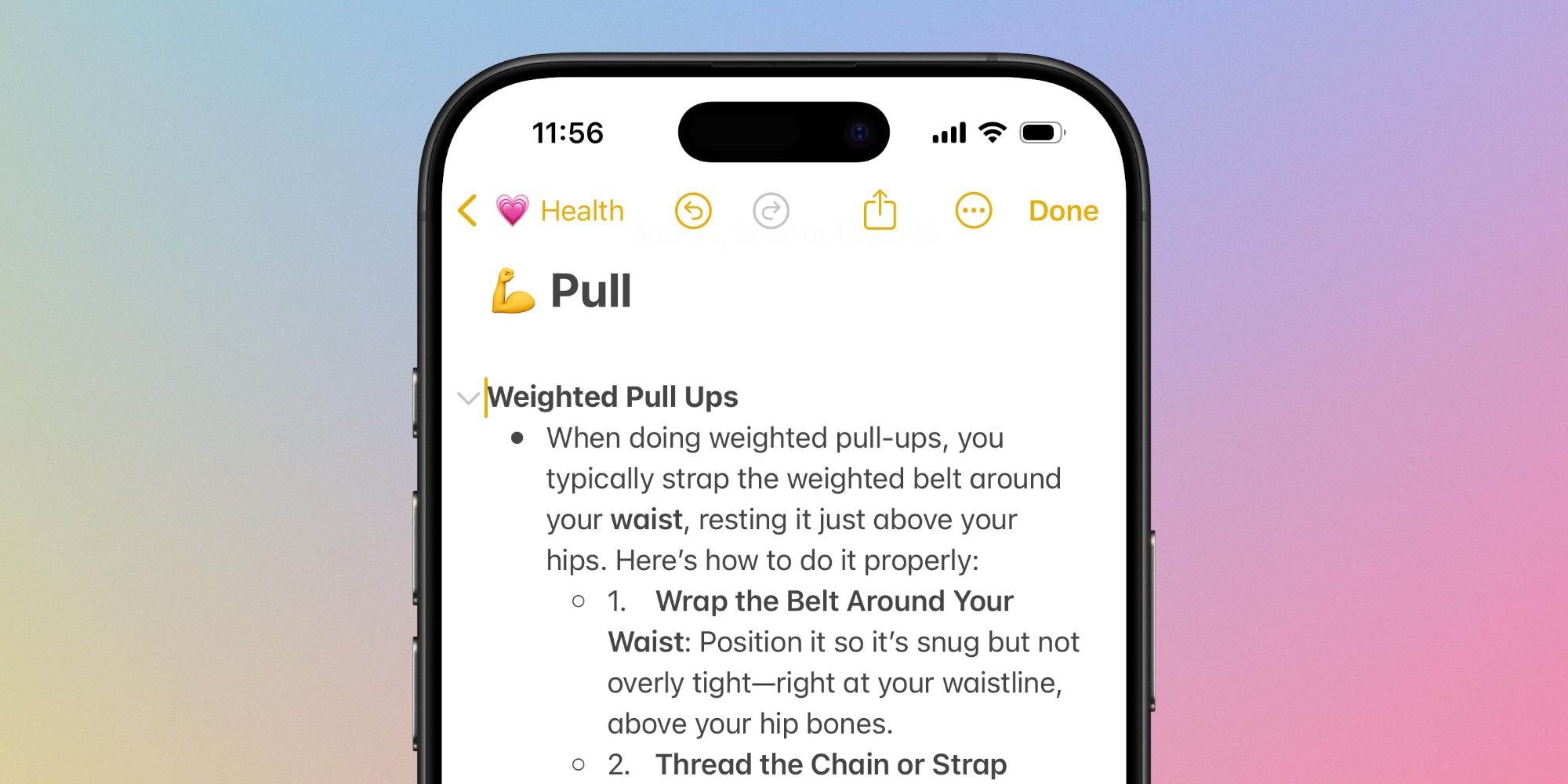
Thanks to iOS 18, I can include detailed, step-by-step walkthroughs for each new exercise, but keep them hidden most of the time so they don’t clutter the note.
I do something similar with tracking food macros.
For meals at home, and especially my go-to restaurants, I save information on each food item’s calories and protein.
Collapsible sections let me hide this info under each restaurant or dish’s heading, only seeing it when I need to. This makes the note much easier to navigate.
There are countless ways collapsible sections can be used, but these are the two I’ve been enjoying right now.
Do you use collapsible sections in iOS 18’s Notes app? Let us know in the comments.
Best iPhone accessories
FTC: We use income earning auto affiliate links. More.

