

onlyTrustedInfo.comonlyTrustedInfo.comonlyTrustedInfo.com
Font ResizerAa
  • News
  • Finance
  • Sports
  • Life
  • Entertainment
  • Tech
Reading: This Control Center upgrade in iOS 18 quickly became my most used feature
Share
onlyTrustedInfo.comonlyTrustedInfo.com
Font ResizerAa
  • News
  • Finance
  • Sports
  • Life
  • Entertainment
  • Tech
Search
  • News
  • Finance
  • Sports
  • Life
  • Entertainment
  • Tech
  • Advertise
  • Advertise
© 2025 OnlyTrustedInfo.com . All Rights Reserved.
Tech

This Control Center upgrade in iOS 18 quickly became my most used feature

Last updated: April 15, 2025 10:30 am
OnlyTrustedInfo.com
Share
3 Min Read
This Control Center upgrade in iOS 18 quickly became my most used feature
SHARE

Contents
Background Sounds: the Control Center feature most people don’t know aboutNew Fire sound in iOS 18 is now my most-used Control Center toggleBest iPhone accessories
Control Center feature iOS 18

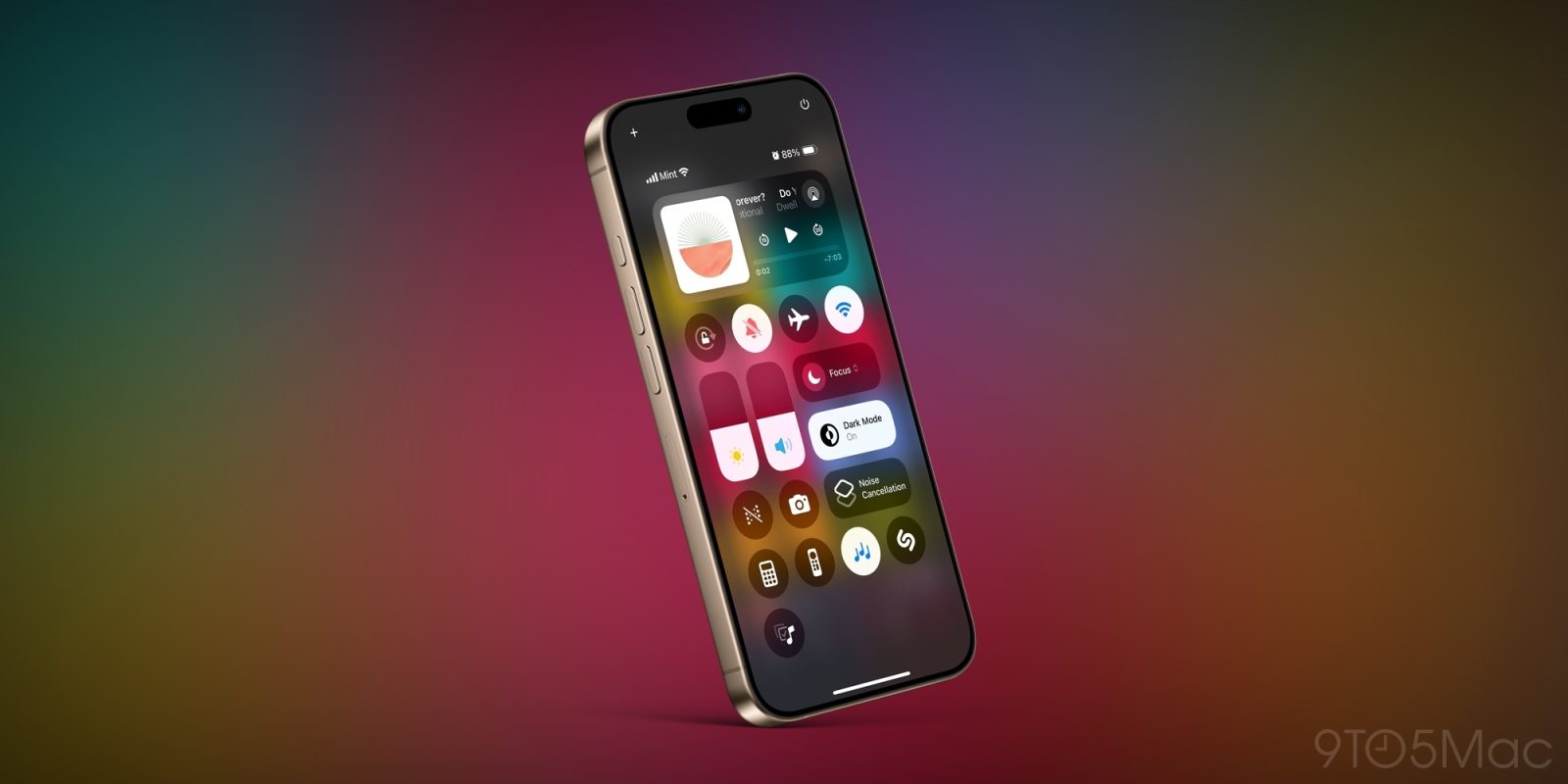
Control Center has experienced a lot of changes since iOS 18 launched last fall, including a handful of additions in the recent iOS 18.4 update. But there’s one new feature that quickly became my go-to, and it’s consistently been my most used Control Center toggle ever since.

Background Sounds: the Control Center feature most people don’t know about

The App Store is home to plenty of solid ambient noise apps such as Portal, Endel, and Dark Noise.

But did you know that iOS includes its own ambient noise feature via Control Center?

And it’s something entirely separate from the recently added ambient music controls in iOS 18.4.

Apple calls its ambient noise features ‘Background Sounds,’ and a big part of why most people don’t know they exist is that they’re labeled Accessibility tools.

Here’s how you can access them:

  1. Open Control Center on your iPhone or iPad
  2. Long-press to enable editing mode
  3. Hit the ‘Add a Control’ button
  4. Scroll all the way near the bottom to find the ‘Hearing Accessibility’ option
  5. Add ‘Background Sounds’ to your Control Center

iOS has offered these built-in sounds for years, but they received a couple great additions in iOS 18—including one I use often throughout each day.

After you’ve added Background Sounds to Control Center, you can long-press the toggle to see a full list of available sounds.

Apple offers eight ambient noises in total:

  • Balanced Noise
  • Bright Noise
  • Dark Noise
  • Ocean
  • Rain
  • Stream
  • Night
  • Fire

New Fire sound in iOS 18 is now my most-used Control Center toggle
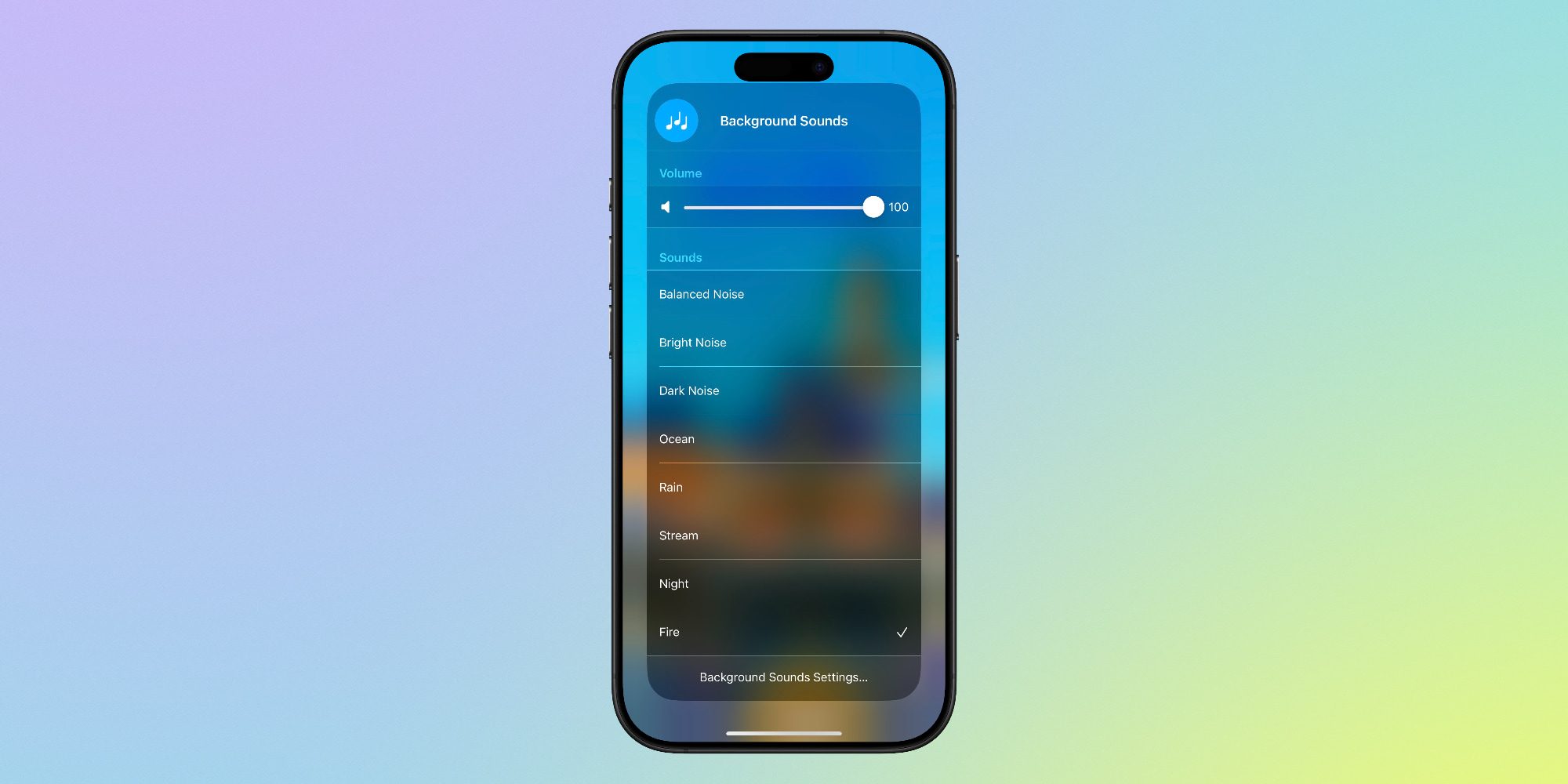
Out of the eight noises above, the last two are brand new in iOS 18.

And it didn’t take long for Fire to became my go-to.

My experience with the other noises has been hit-or-miss, but Fire provides just the right mood that helps me get into a focused mental state for work.

Every time I’m doing focused writing, I put in AirPods Pro 2 and ensure noise canceling is enabled, then open Control Center to activate the Fire ambient noise, and I’m set.

Apple has built some really nice custom settings into the Control Center toggle, including a dedicated volume slider for the feature, the option to keep noise playing even while other media plays (and with a custom volume slider for that, too), and more.

Thanks to the new Fire noise, I use Control Center’s Background Sounds feature many times every single day. Easily more than any other Control Center toggle.

Did you know Background Sounds existed? What are your most used Control Center features? Let us know in the comments.

Best iPhone accessories

FTC: We use income earning auto affiliate links. More.

You Might Also Like

Discord launches SDK to help developers enhance social experiences in their games

New scientific discovery reveals the origin of life on Earth

Archaeologists Excavated an Ancient Temple—and Found 2,500-Year-Old Tombs

COP30: The World Agrees on Climate Funding—But Kicks the Fossil Fuel Reckoning Down the Road

Millions under flood watches and heat wave warnings across U.S.

Share This Article
Facebook X Copy Link Print
Share
Previous Article 3 quarterbacks to attend 2025 NFL Draft — but not Shedeur Sanders 3 quarterbacks to attend 2025 NFL Draft — but not Shedeur Sanders
Next Article Trump’s Tariff Threat for Drug imports Poses Big Political Risks Trump’s Tariff Threat for Drug imports Poses Big Political Risks

Latest News

Cameron Brink’s All-White Statement: Fashion Meets a Full-Strength Return for the Sparks
Sports May 11, 2026
Binghamton’s Historic Rally Sets Up David vs. Goliath Showdown with Oklahoma
Sports May 11, 2026
SEC Dominance: Alabama Claims No. 1 Seed as Conference Floods NCAA Softball Bracket
Sports May 11, 2026
Frustration Boils Over: Wembanyama’s Ejection Alters Spurs’ Trajectory
Sports May 11, 2026
//
  • About Us
  • Contact US
  • Privacy Policy
onlyTrustedInfo.comonlyTrustedInfo.com
© 2026 OnlyTrustedInfo.com . All Rights Reserved.