



A new version of Parallels Desktop is rolling out now, and it comes with some key enhancements for Mac users. There are improvements to USB device connectivity, support for OBS virtual cameras, and more.
The Parallels team outlined the update in a blog post today. Perhaps the most exciting change for Mac users emulating Windows is support for macOS OBS virtual cameras:
Most of you are familiar with OBS (Open Broadcaster Software), the popular open-source broadcasting software. Many users have expressed that they’d like to use an OBS virtual camera setup on their Mac inside a Windows virtual machine for apps like Zoom or Microsoft Teams—but until now, that wasn’t possible.
With Parallels Desktop 20.3.0, the OBS virtual camera feature in macOS is available inside your Windows virtual machine (VM).
This means you can now select your OBS feed in Windows apps—giving you more control over how your livestreams look and function.
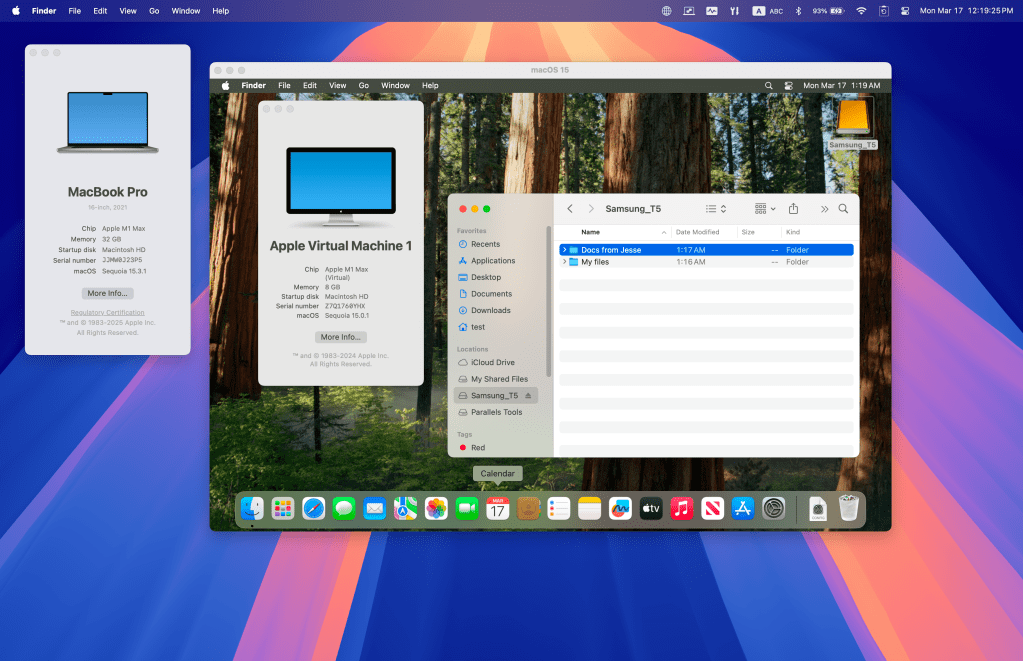
The update also adds USB device support for macOS virtual machines on Apple Silicon Macs:
For the longest time, macOS VMs on Apple silicon Macs simply couldn’t recognize USB devices.
This meant security professionals couldn’t test authentication keys, developers couldn’t debug hardware-dependent software, and testers couldn’t validate device compatibility.
That changes with Parallels Desktop 20.3.0!
Thanks to the adjustments introduced in Apple’s framework with macOS 15, USB passthrough is now a reality for macOS VMs on Apple silicon.
With 20.3.0, you can connect a range of external USB devices directly to your macOS VM, unlocking new workflows for development, security testing, and beyond.
You can also now use Touch ID to authenticate Parallels Desktop installation:
We know that manually entering your Mac admin password can be a hassle.
That was something we all had to do when installing and managing Parallels Desktop settings locked with a Mac admin password on Macs with macOS 15.
Now, you can simply use Touch ID to authenticate, making installation and settings management more convenient in Parallels Desktop.
Also new in today’s Parallels Desktop update are several improvements to x86_64 emulation:
x86_64 emulation improvements: The team is thrilled to offer further enhancements to x86_64 virtual machines on Apple silicon Macs, including full compatibility with M4 chips. This broader rollout ensures that even more users can run legacy x86_64 apps on the latest Apple hardware.
This comes after Parallels added an early technology preview of x86 emulation in January:
Starting with Parallels Desktop 20.2.0 you can use x86 emulation on Apple silicon Macs.
This functionality allows you to run some Intel-based (x86_64) virtual machines (VMs) on Apple silicon Macs via our proprietary emulation engine. Since we first introduced Parallels Desktop 16.5 with support for Apple silicon Macs, the ability to run x86_64 virtual machines has been a limitation.
Finally, the update brings better Mac integration for the Dragon Medical One app more. You can learn more about today’s Parallels Desktop update on the company’s website.
FTC: We use income earning auto affiliate links. More.


