

onlyTrustedInfo.comonlyTrustedInfo.comonlyTrustedInfo.com
Font ResizerAa
  • News
  • Finance
  • Sports
  • Life
  • Entertainment
  • Tech
Reading: iPadOS 19’s menu bar will fix a key productivity problem for me
Share
onlyTrustedInfo.comonlyTrustedInfo.com
Font ResizerAa
  • News
  • Finance
  • Sports
  • Life
  • Entertainment
  • Tech
Search
  • News
  • Finance
  • Sports
  • Life
  • Entertainment
  • Tech
  • Advertise
  • Advertise
© 2025 OnlyTrustedInfo.com . All Rights Reserved.
Tech

iPadOS 19’s menu bar will fix a key productivity problem for me

Last updated: April 25, 2025 10:07 am
OnlyTrustedInfo.com
Share
3 Min Read
iPadOS 19’s menu bar will fix a key productivity problem for me
SHARE

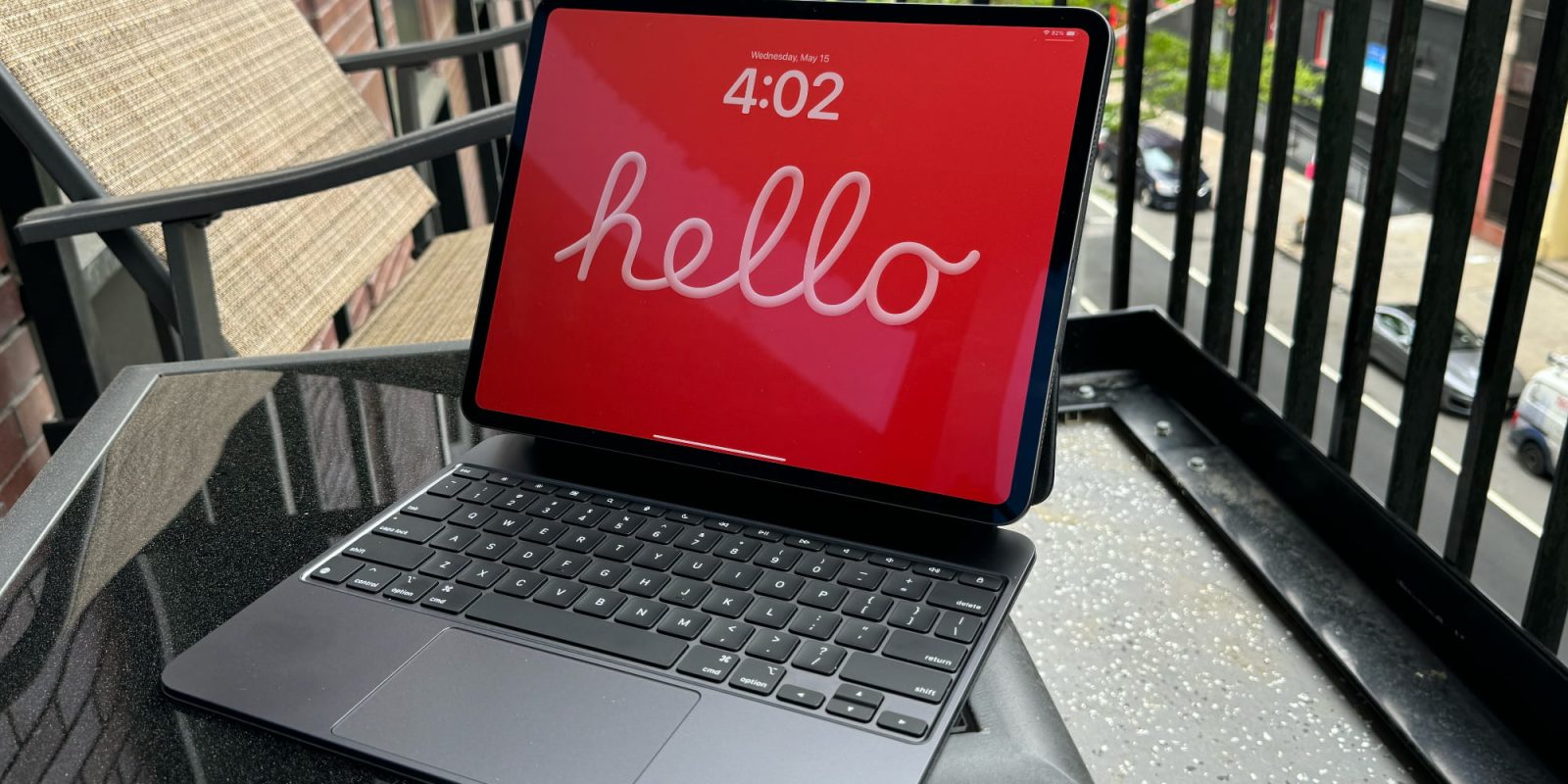
iPad Pro with Magic Keyboard

iPadOS 19 will be unveiled right about six weeks from now, not too far off at all. And one rumored addition, a Mac-style menu bar, is set to upgrade iPad productivity in several ways—including one that I’m especially excited about.

Yesterday leaker Majin Bu shared that iPadOS 19 will introduce a menu bar to the iPad for the first time.

Per his mockup, it looks like Apple plans to more or less replicate the menu bar’s functionality on the Mac.

I’m a long-time iPad Pro user, and have worked full-time from my iPad for nearly a decade.

As such, there are several aspects of an iPad menu bar that excite me.

Easily accessing app menus will be a nice new feature. And menu bar apps could be especially interesting.

But there’s one aspect of the menu bar that will solve a key productivity hindrance for me.

I work with my iPad connected to a Magic Keyboard all the time. And while support for keyboard shortcuts in iPadOS has improved over time, it’s definitely still lacking compared to the Mac.

One issue I regularly encounter involves multitasking.

When I have two apps on-screen at once, there’s currently no clear way to know which is the ‘active’ app. Meaning, the app that keyboard shortcuts will apply to.

If you’re working with text, the flashing cursor can be a hint. But that’s not even always accurate.

I can’t tell you how many times I’ve performed a keyboard shortcut, discovered that it wasn’t doing anything, and gotten frustrated at iPadOS for feeling broken.

Only to then discover that the reason the shortcut wasn’t working is that, unbeknownst to me, a different app was the ‘active’ one at the time.

The whole process is not only frustrating, but it also discourages me from using keyboard shortcuts at all.

Fortunately, adding a menu bar to iPadOS should fix this limitation.

On the Mac, the menu bar always tells you which app is active. Its name is displayed in the top-left corner. So if the wrong name is listed, you can click into the app you want before entering the shortcut.

It’s a small change, and likely only a fraction of the value an iPadOS menu bar stands to offer.

But it’s also an important step toward making the iPad multitasking experience more seamless and enjoyable.

Are you excited for iPadOS 19 to add a menu bar? Why or why not? Let us know in the comments.

Best iPad accessories

FTC: We use income earning auto affiliate links. More.

You Might Also Like

DNA Shatters London Underground Mosquito Myth: Cairo, Not the Tube, Is Its 1,000-Year-Old Birthplace

A Baby Elephant “Marks Its Territory” in Front of a Group of Tourists

Ice Shelters on Mars: A Radical New Plan for Protecting Human Colonists

Lollipop Star Turns Your Mouth Into a Private Concert Hall Using Bone Conduction

Eastern Arizona wildfire explodes over 7,000 acres amid high winds, red flag conditions

Share This Article
Facebook X Copy Link Print
Share
Previous Article Iran to sign bn oilfields deal with Russia in bid to bolster ties | Business and Economy News Iran to sign $4bn oilfields deal with Russia in bid to bolster ties | Business and Economy News
Next Article Trump insists bond market tumult didn’t influence tariff pause: ‘I wasn’t worried’ Trump insists bond market tumult didn’t influence tariff pause: ‘I wasn’t worried’

Latest News

PFL Brussels 2026: Why the Odds Are Stacked Against the Underdogs in a Night of Dominant Favorites
Sports May 23, 2026
Ja Morant Spotted at WNBA’s Dream vs. Wings: What His Presence Means for the NBA Star and Women’s Basketball
Sports May 23, 2026
WWE Clash in Italy: Rhea Ripley vs. Jade Cargill Rematch Confirmed—Why This Title Showdown Matters
Sports May 23, 2026
Gerrit Cole’s Triumphant Return: 6 Shutout Innings After 569-Day Absence, But Yankees Fall to Rays
Sports May 23, 2026
//
  • About Us
  • Contact US
  • Privacy Policy
onlyTrustedInfo.comonlyTrustedInfo.com
© 2026 OnlyTrustedInfo.com . All Rights Reserved.