

onlyTrustedInfo.comonlyTrustedInfo.comonlyTrustedInfo.com
Font ResizerAa
  • News
  • Finance
  • Sports
  • Life
  • Entertainment
  • Tech
Reading: iOS 18.5 makes it easier to get the old Apple Mail design back
Share
onlyTrustedInfo.comonlyTrustedInfo.com
Font ResizerAa
  • News
  • Finance
  • Sports
  • Life
  • Entertainment
  • Tech
Search
  • News
  • Finance
  • Sports
  • Life
  • Entertainment
  • Tech
  • Advertise
  • Advertise
© 2025 OnlyTrustedInfo.com . All Rights Reserved.
Tech

iOS 18.5 makes it easier to get the old Apple Mail design back

Last updated: April 2, 2025 3:07 pm
OnlyTrustedInfo.com
Share
2 Min Read
iOS 18.5 makes it easier to get the old Apple Mail design back
SHARE

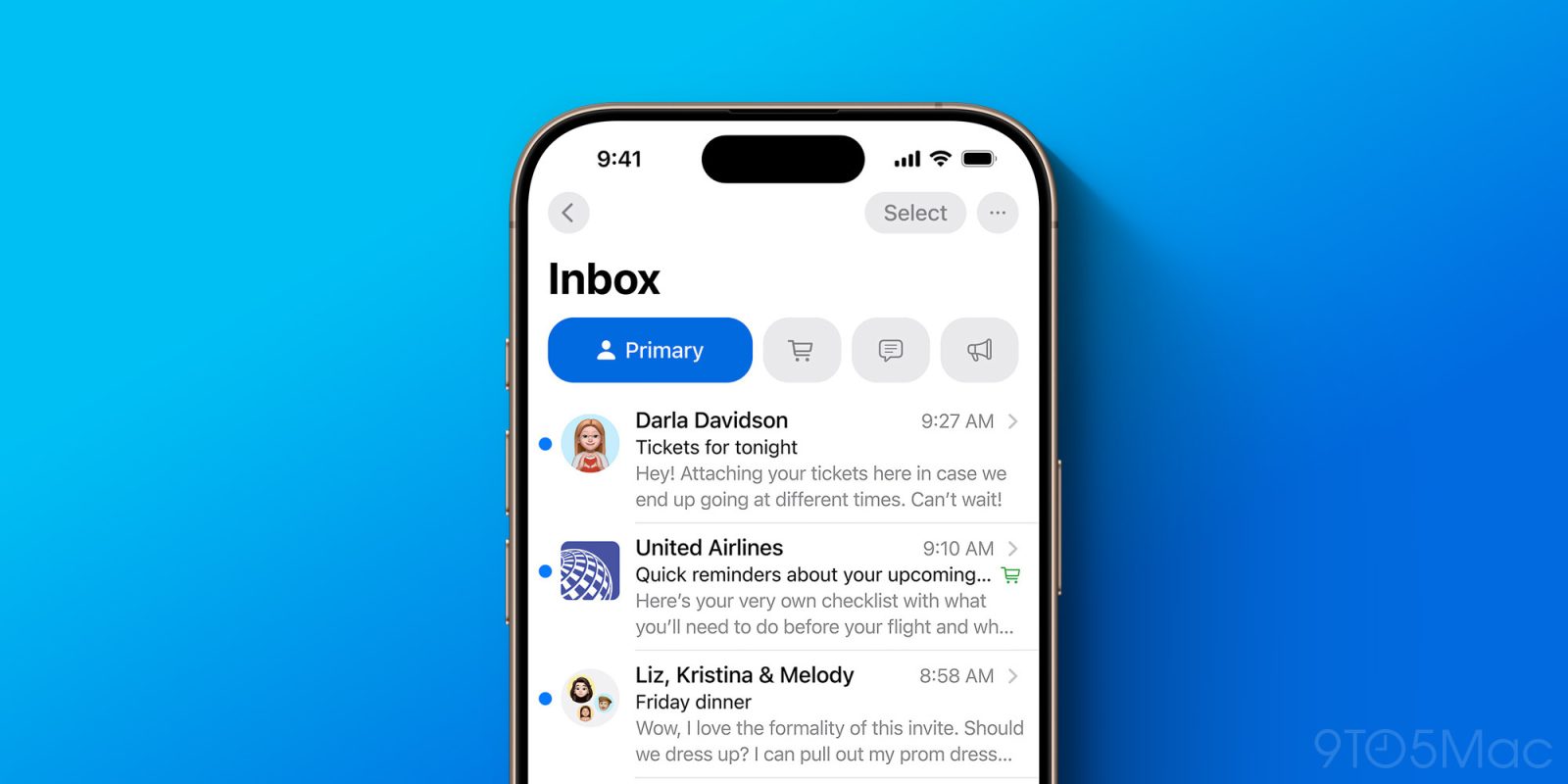
iOS 18.2 Mail app

iOS 18.5 beta 1 was released today for developers, and so far it’s been particularly light on noticeable changes. However, one key update makes it easier than before to get the old Apple Mail design back in iOS 18.5.

Apple Mail got a big redesign in iOS 18.2, bringing inbox categorization, digest view, contact photos, and more.

But even back then, Apple knew that not everyone would appreciate the app’s changes.

From the start, you could disable categorization by tapping the three-dot icon in the upper right corner.

That menu offered options to switch from Categories View to the classic List View for your inbox.

It also let you disable the Apple Intelligence-powered ‘Priority messages’ feature, which surfaces more important emails to the top of your inbox.

Now, some new menu options have been added: you can disable contact photos and the ‘Group by Sender’ digest view.
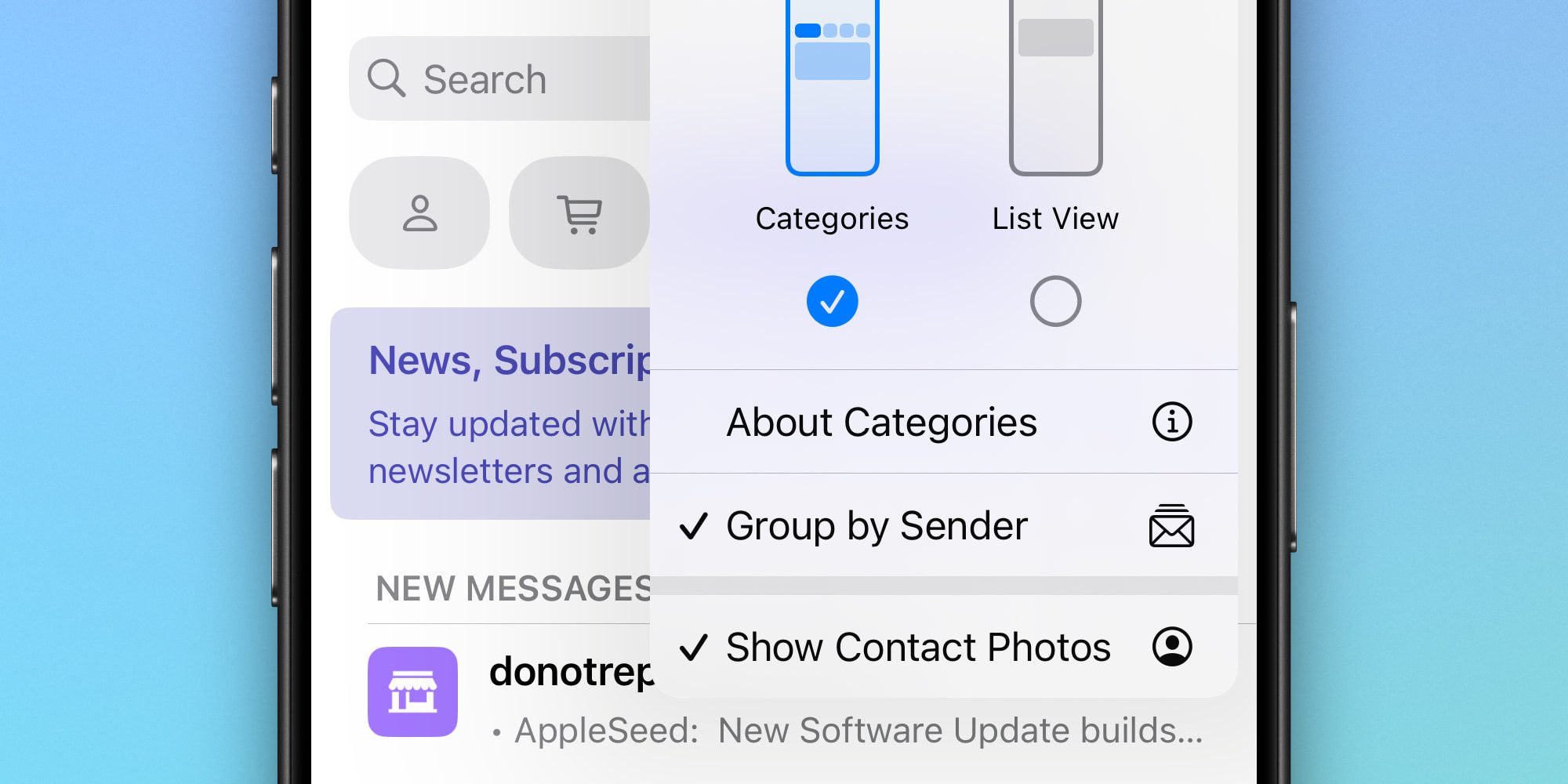
When the Mail app was first redesigned, it added contact photos to your inbox. The look was very clearly inspired by Apple’s Messages app, where contact photos are similarly prominent.

In previous iOS updates, you could disable Mail’s contact photos, but it took some digging. You needed to go to Settings ⇾ Apps ⇾ Mail and toggle off the ‘Show Contact Photos’ option.

But in iOS 18.5, you can make the change right inside the Mail app, inside the same menu that lets you disable or enable Apple’s other Mail changes. Disabling digest view from this same menu is another solid addition.

These are small tweaks, but ultimately nice ones for anyone who’s still not loving Apple Mail’s new look and feel.

What do you think of the Apple Mail redesign? Let us know in the comments.

Best iPhone accessories

FTC: We use income earning auto affiliate links. More.

You Might Also Like

How Massive Cruise Ships and an Oversaturated Tourism Industry are Destroying This Once Pristine Whale Shark Habitat

How OLED Screens Rewrote the Rules for Every Premium TV

Meta’s Removal of ICE Harassment Page: A Deep Dive into Tech’s Content Moderation Tightrope

Why Mars became a desert while Earth stayed alive

Microsoft Authenticator is ending password autofill soon. How to set up a passkey before Aug. 1

Share This Article
Facebook X Copy Link Print
Share
Previous Article What’s next for LIV Golf? CEO Scott O’Neil says future ‘looks like Formula One of golf’ What’s next for LIV Golf? CEO Scott O’Neil says future ‘looks like Formula One of golf’
Next Article Danish PM promises to support Greenland against US pressure | News Danish PM promises to support Greenland against US pressure | News

Latest News

Tiger Woods’ Swiss Jet Landing: The Desperate Gamble for Privacy and Recovery After DUI Arrest
Entertainment April 5, 2026
Ashley Iaconetti’s Real Housewives of Rhode Island Shock: Why the Cast Distrusted Her Bachelor Fame
Entertainment April 5, 2026
Bill Murray’s UConn Farewell: The Inside Story of Luke Murray’s Boston College Hire
Entertainment April 5, 2026
Prince Harry’s Alpine Reunion: Skiing with Trudeau and Gu Echoes Diana’s Legacy
Entertainment April 5, 2026
//
  • About Us
  • Contact US
  • Privacy Policy
onlyTrustedInfo.comonlyTrustedInfo.com
© 2026 OnlyTrustedInfo.com . All Rights Reserved.