

onlyTrustedInfo.comonlyTrustedInfo.comonlyTrustedInfo.com
Font ResizerAa
  • News
  • Finance
  • Sports
  • Life
  • Entertainment
  • Tech
Reading: iOS 18.4 includes eight new emoji
Share
onlyTrustedInfo.comonlyTrustedInfo.com
Font ResizerAa
  • News
  • Finance
  • Sports
  • Life
  • Entertainment
  • Tech
Search
  • News
  • Finance
  • Sports
  • Life
  • Entertainment
  • Tech
  • Advertise
  • Advertise
© 2025 OnlyTrustedInfo.com . All Rights Reserved.
Tech

iOS 18.4 includes eight new emoji

Last updated: March 31, 2025 3:31 pm
OnlyTrustedInfo.com
Share
2 Min Read
iOS 18.4 includes eight new emoji
SHARE

Contents
New emoji coming with iOS 18.4Read also
New emoji iOS 18.4

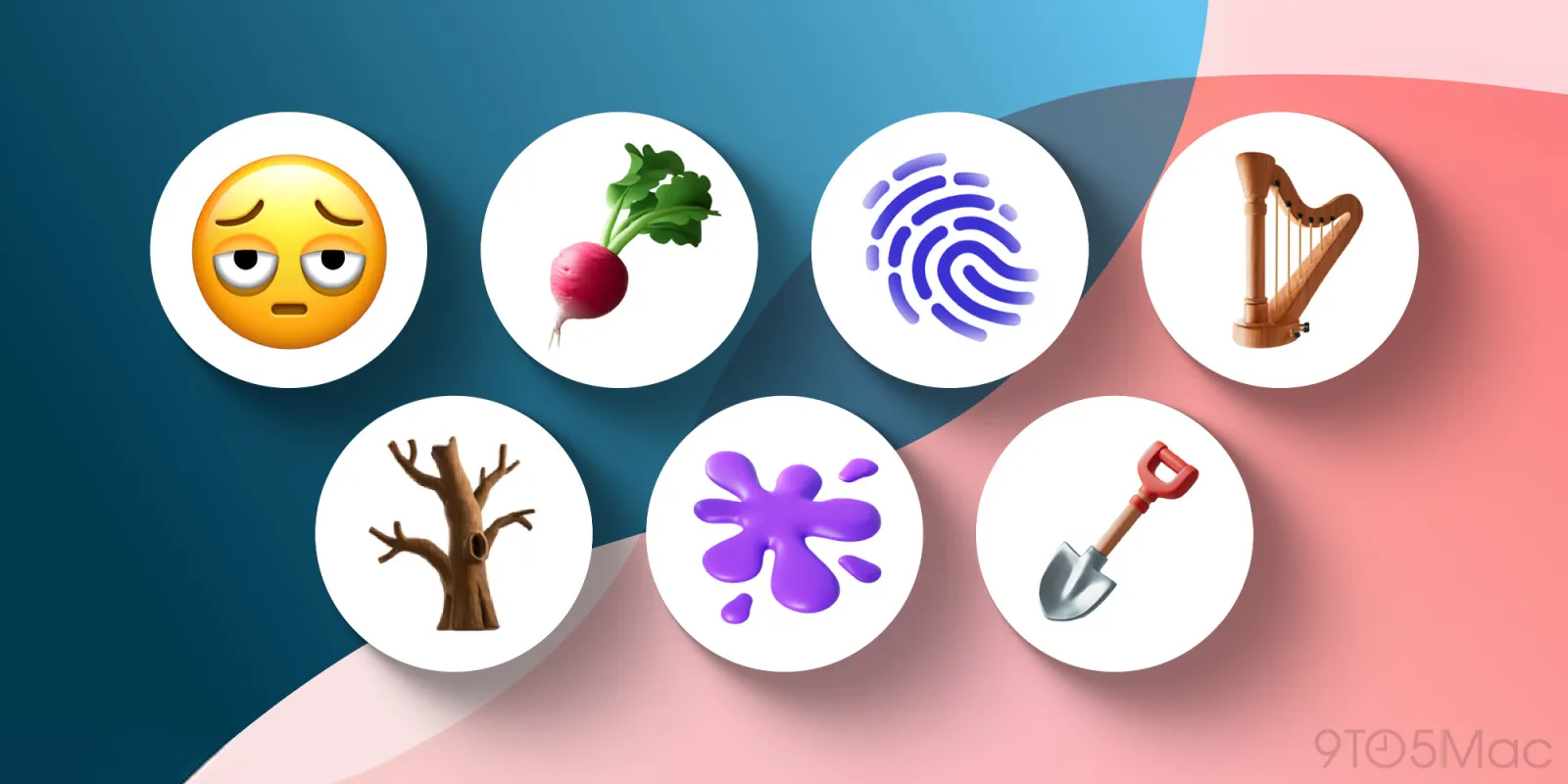
As reported last year, the Unicode Consortium had teased eight new emoji that would become available on platforms such as iOS and Android. Now with the official release of iOS 18.4 to the public, Apple has finally introduced support for these new emoji.

New emoji coming with iOS 18.4

Perhaps one of the new emoji that stands out the most is the “face with bags under eyes,” which is basically an emoji with a really tired face. But users will also have a few other new options as well.

Here’s the list of new emoji added with iOS 18.4:

  • Face with bags under eyes
  • Fingerprint
  • Leafless tree
  • Root vegetable
  • Harp
  • Shovel
  • Splatter
  • Flag of Sark

It’s worth noting that emoji are created and approved by the Unicode Consortium, and then Apple and other companies design their own versions of the characters.

Another thing to keep in mind is that only users running the latest software can see the new emoji. This means that users running iOS 18.3 or earlier versions of the operating system will only see a blank icon if someone running iOS 18.4 or later sends them a message with the new emoji.

In addition to the new emoji, iOS 18.4 also expands Apple Intelligence support to more languages. Moreover, iOS 18.4 brings a new Food Recipes section to Apple News+, the promised Priority Notifications feature, and enhancements to CarPlay.

You can update your iPhone by going to Settings > General > Software Update. It’s worth noting that the new emoji are also available for iPad, Mac, and Apple Watch users with the latest software.

Read also

Gadgets I recommend:

FTC: We use income earning auto affiliate links. More.

You Might Also Like

Long-running EU antitrust case of Microsoft Teams appears to be nearing an end

Love on Display: Inside the Wild World of Lekking

Earth’s Magnetic Shield Is Leaking: How Our Planet’s Own Defense Is Sending Its Atmosphere to the Moon

One Tech Tip: These are the apps that can now avoid Apple’s in-app payment system

Conifer locks down $20M seed round for its ‘drop-in’ electric hub motor

Share This Article
Facebook X Copy Link Print
Share
Previous Article Legal Expert Predicts Trial Outcome Legal Expert Predicts Trial Outcome
Next Article OpenAI plans to release a new ‘open’ AI language model in the coming months OpenAI plans to release a new ‘open’ AI language model in the coming months

Latest News

Prince Andrew’s Legal Peril Deepens: Transatlantic Probe Targets Giuffre Family
Entertainment July 11, 2026
Sofia Vergara’s Etro Dress: The Keyhole Cutout That’s Turning Heads on Italian Streets
Entertainment July 11, 2026
Rick Springfield at 76: How the ‘Jessie’s Girl’ Icon Redefined Aging in Rock with His Viral Physique
Entertainment July 11, 2026
Prince Harry and Meghan’s Children Reunite with King Charles: A Royal Family Milestone After Years of Tension
Entertainment July 11, 2026
//
  • About Us
  • Contact US
  • Privacy Policy
onlyTrustedInfo.comonlyTrustedInfo.com
© 2026 OnlyTrustedInfo.com . All Rights Reserved.