

onlyTrustedInfo.comonlyTrustedInfo.comonlyTrustedInfo.com
Font ResizerAa
  • News
  • Finance
  • Sports
  • Life
  • Entertainment
  • Tech
Reading: This Reminders feature is a lifesaver when my task list grows too long
Share
onlyTrustedInfo.comonlyTrustedInfo.com
Font ResizerAa
  • News
  • Finance
  • Sports
  • Life
  • Entertainment
  • Tech
Search
  • News
  • Finance
  • Sports
  • Life
  • Entertainment
  • Tech
  • Advertise
  • Advertise
© 2025 OnlyTrustedInfo.com . All Rights Reserved.
Tech

This Reminders feature is a lifesaver when my task list grows too long

Last updated: April 17, 2025 4:58 pm
OnlyTrustedInfo.com
Share
4 Min Read
This Reminders feature is a lifesaver when my task list grows too long
SHARE

Contents
My Reminders Smart List to focus on what matters mostCreating your own Smart List in the Reminders appBest iPhone accessories
Apple Reminders Smart List

Apple’s Reminders app has become a powerful task manager in recent years, and there’s one highly versatile feature that helps me stay sane when my to-do list grows out of control: Smart Lists.

My Reminders Smart List to focus on what matters most

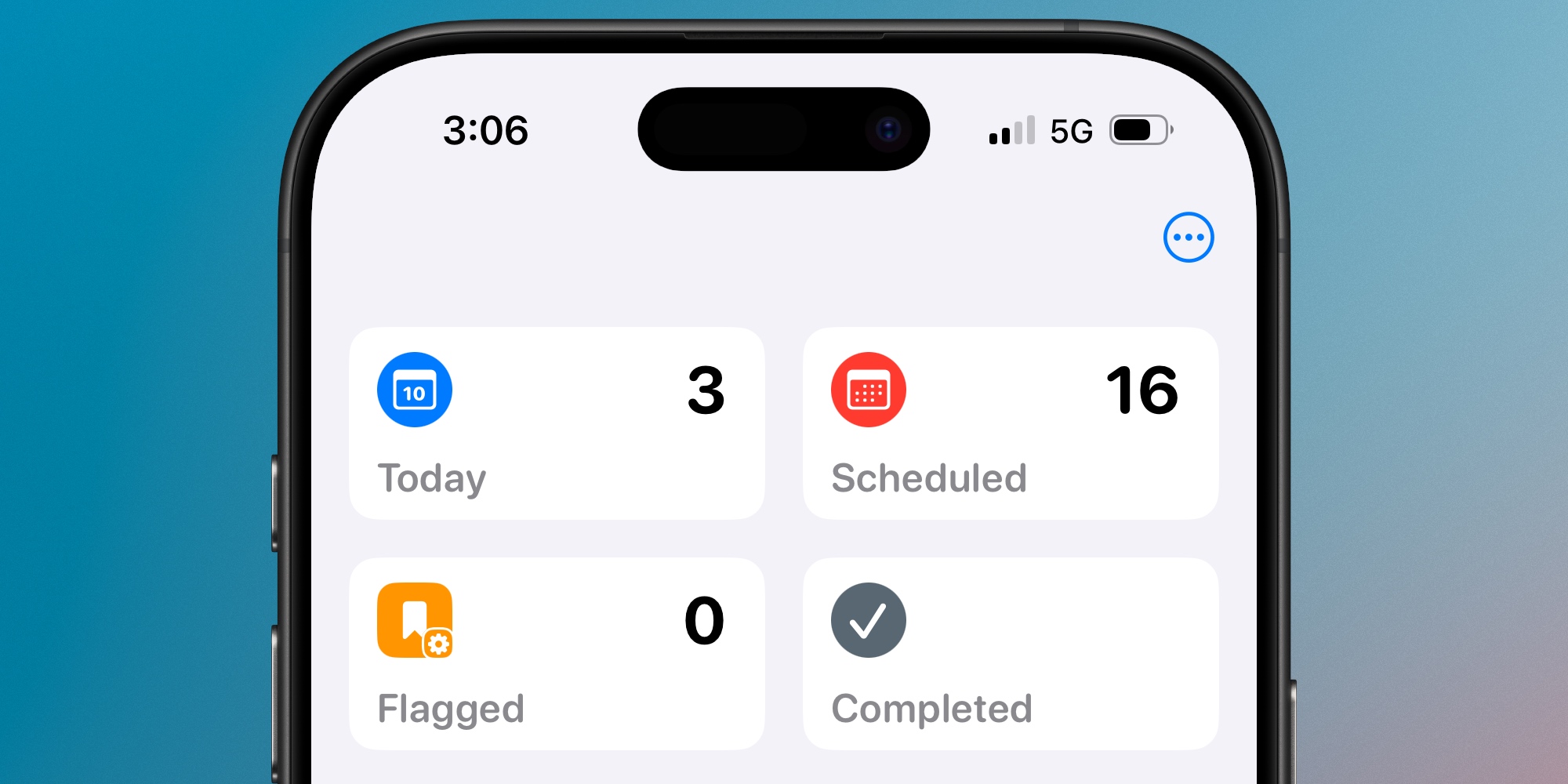
The Reminders app is equipped with several built-in lists where I spend most of my time on any given day.

‘Today’ and ‘Scheduled’ are my typical go-tos, as I imagine they are for most users.

But there are times my to-dos get a little unruly, and I need a separate, unique list to ensure the most important tasks get done.

Apple lets you build custom Smart Lists in Reminders that collect tasks based on a variety of factors: Tags, Date, Time, Location, Flag, Priority, and Lists.
My task needs aren’t too complex, but there is one Smart List that’s been a lifesaver for me.

I have a list that shows all flagged to-dos due that day (or overdue).

The idea is simple: if my Today list grows too long, and I need to break through the clutter to focus on just the most important work, I can quickly flag several tasks and switch to my Smart List.

Inside my Smart List, I’ll see only what matters most, and immediately feel more at peace and able to start working.

Creating your own Smart List in the Reminders app
Reminders Smart List

Apple makes it easy to create a Smart List to suit your needs.

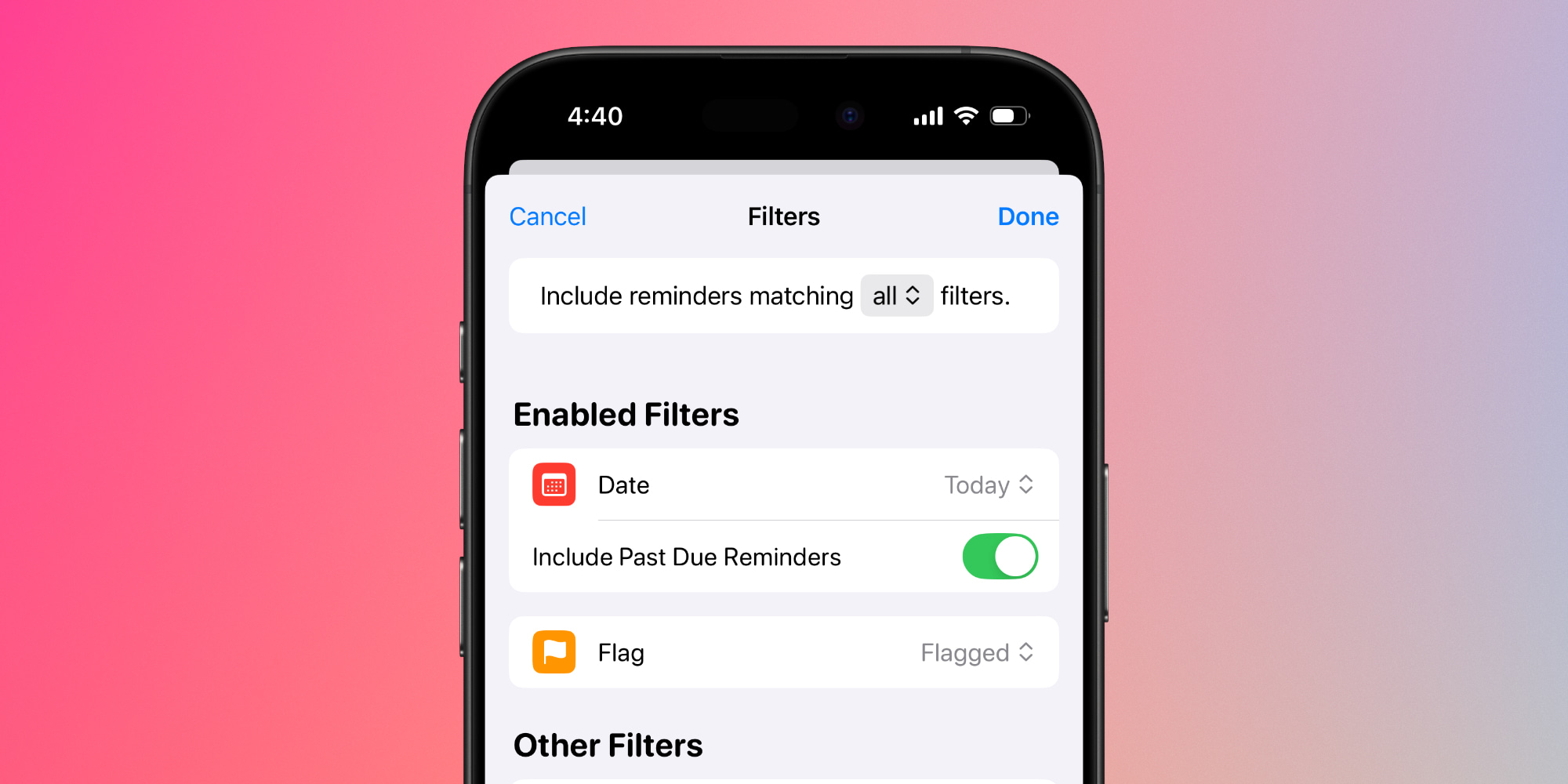
Here are the steps I took to create mine, which you can follow to duplicate it:

  1. Hit ‘Add List’
  2. Under ‘List Type’ choose ‘Smart List’
  3. Tap ‘Edit Filters’
  4. For the Date setting, pick ‘Today’
  5. Be sure to turn on the ‘Include Past Due Reminders’ toggle that appears
  6. Finally, for the Flag setting choose ‘Flagged’

The reason this list works so well for me is that it’s very easy to flag tasks in Reminders.

The app does offer a ‘Priority’ feature that could theoretically be used instead, but assigning priority is more cumbersome in the app than flagging a task. I also prefer the visual of the orange flag, which puts me on alert.

On iPhone and iPad, flagging tasks is as easy as a swipe left then quick tap of ‘Flag.’ Priority requires diving into the info screen.

Thanks to this convenient swipe option, it takes only seconds for me to flag tasks in Today that will then show up in my custom Smart List.

Some might ask: why not just use the built-in Flagged list Reminders already offers?

Simple: I don’t want to see all tasks that I’ve flagged, only the ones that need attention that day.

With my custom Smart List, I get the Today list I need, but pared down to a manageable length showing only what matters most.

Do you use Smart Lists in Reminders, and if so, what for? Let us know in the comments.

Best iPhone accessories

FTC: We use income earning auto affiliate links. More.

You Might Also Like

The Coast Guard says the Titan submersible disaster was ‘preventable.’ Now the deep-sea industry is looking to the future

What Tesla can and can’t do in California with its new passenger transportation permit

Ubisoft’s Anno 117 AI Art Fallout: How Game Devs Are Redrawing the Lines After Fans Spot the Difference

Rust on the Moon? Chang’e-6 Lunar Samples Rewrite Planetary Science

Amazon shuts down Shanghai AI research lab, FT says

Share This Article
Facebook X Copy Link Print
Share
Previous Article Fans gush over LSU Gymnastics ‘DNA’ leotard featuring Aleah Finnegan for NCAA Championships semis Fans gush over LSU Gymnastics ‘DNA’ leotard featuring Aleah Finnegan for NCAA Championships semis
Next Article Premier League Darts: Chris Dobey picks up first nightly win with Rotterdam demolition of Stephen Bunting | Darts News Premier League Darts: Chris Dobey picks up first nightly win with Rotterdam demolition of Stephen Bunting | Darts News

Latest News

Tiger Woods’ Swiss Jet Landing: The Desperate Gamble for Privacy and Recovery After DUI Arrest
Entertainment April 5, 2026
Ashley Iaconetti’s Real Housewives of Rhode Island Shock: Why the Cast Distrusted Her Bachelor Fame
Entertainment April 5, 2026
Bill Murray’s UConn Farewell: The Inside Story of Luke Murray’s Boston College Hire
Entertainment April 5, 2026
Prince Harry’s Alpine Reunion: Skiing with Trudeau and Gu Echoes Diana’s Legacy
Entertainment April 5, 2026
//
  • About Us
  • Contact US
  • Privacy Policy
onlyTrustedInfo.comonlyTrustedInfo.com
© 2026 OnlyTrustedInfo.com . All Rights Reserved.