


onlyTrustedInfo.comonlyTrustedInfo.comonlyTrustedInfo.com
Font ResizerAa
  • News
  • Finance
  • Sports
  • Life
  • Entertainment
  • Tech
Reading: iOS 18.4 adds new Messages feature perfect for your go-to chats
Share
onlyTrustedInfo.comonlyTrustedInfo.com
Font ResizerAa
  • News
  • Finance
  • Sports
  • Life
  • Entertainment
  • Tech
Search
  • News
  • Finance
  • Sports
  • Life
  • Entertainment
  • Tech
  • Advertise
  • Advertise
© 2025 OnlyTrustedInfo.com . All Rights Reserved.
Tech

iOS 18.4 adds new Messages feature perfect for your go-to chats

Last updated: April 11, 2025 11:46 am
OnlyTrustedInfo.com
Share
3 Min Read
iOS 18.4 adds new Messages feature perfect for your go-to chats
SHARE

Contents
Messages now supports shortcuts to launch specific conversationsSetting up iOS 18.4’s Messages shortcut and making it easy to accessBest iPhone accessories
Messages app iOS 18.4

iOS 18.4 arrived late last month packed with a variety of new features, including an upgrade you might have missed that provides a fast way to open your go-to conversations in the Messages app. Here’s how it works.

Messages now supports shortcuts to launch specific conversations

Apple’s Messages app has received some solid upgrades in recent months, such as Genmoji, Image Playground, emoji tapbacks, scheduled messages, and more.

In iOS 18.4, there’s another new Messages feature that’s enabled via the Shortcuts app.

Shortcuts has gained a handy ‘Open Conversation’ action, which lets you directly open a specific Messages conversation.

It works fast, and makes for a great way to open go-to conversations.

The feature also benefits strongly from various iOS customization features—like Control Center and Home Screen options—which offer convenient access to your Messages chats anywhere on your iPhone.

Setting up iOS 18.4’s Messages shortcut and making it easy to access
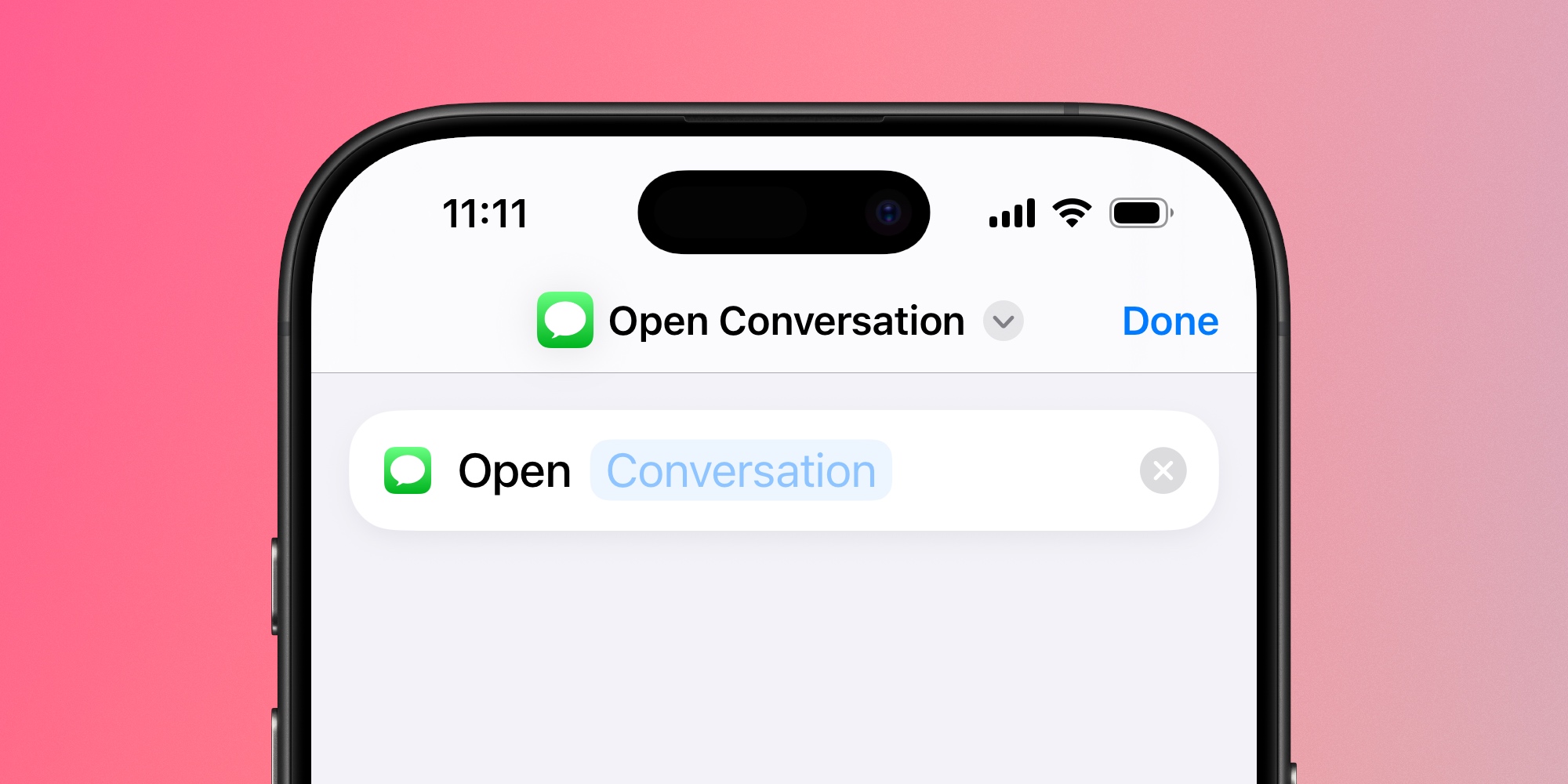
To set up the new Messages shortcut in iOS 18.4, there are a few simple steps:

  1. Open Apple’s Shortcuts app
  2. Hit the ‘+’ button to create a new shortcut
  3. Search for the ‘Open Conversation’ action and add it
  4. Then tap the ‘Conversation’ field and select a Messages thread

If you want quick access to multiple Messages conversations, just follow the above steps to create each separate shortcut.

Having a button in the Shortcuts app alone isn’t necessarily more convenient than just opening the Messages app and finding the thread you need.

That’s where Control Center, the Home Screen, and Lock Screen come into play.

After creating your Messages shortcuts, you can add them to a variety of places on your iPhone.
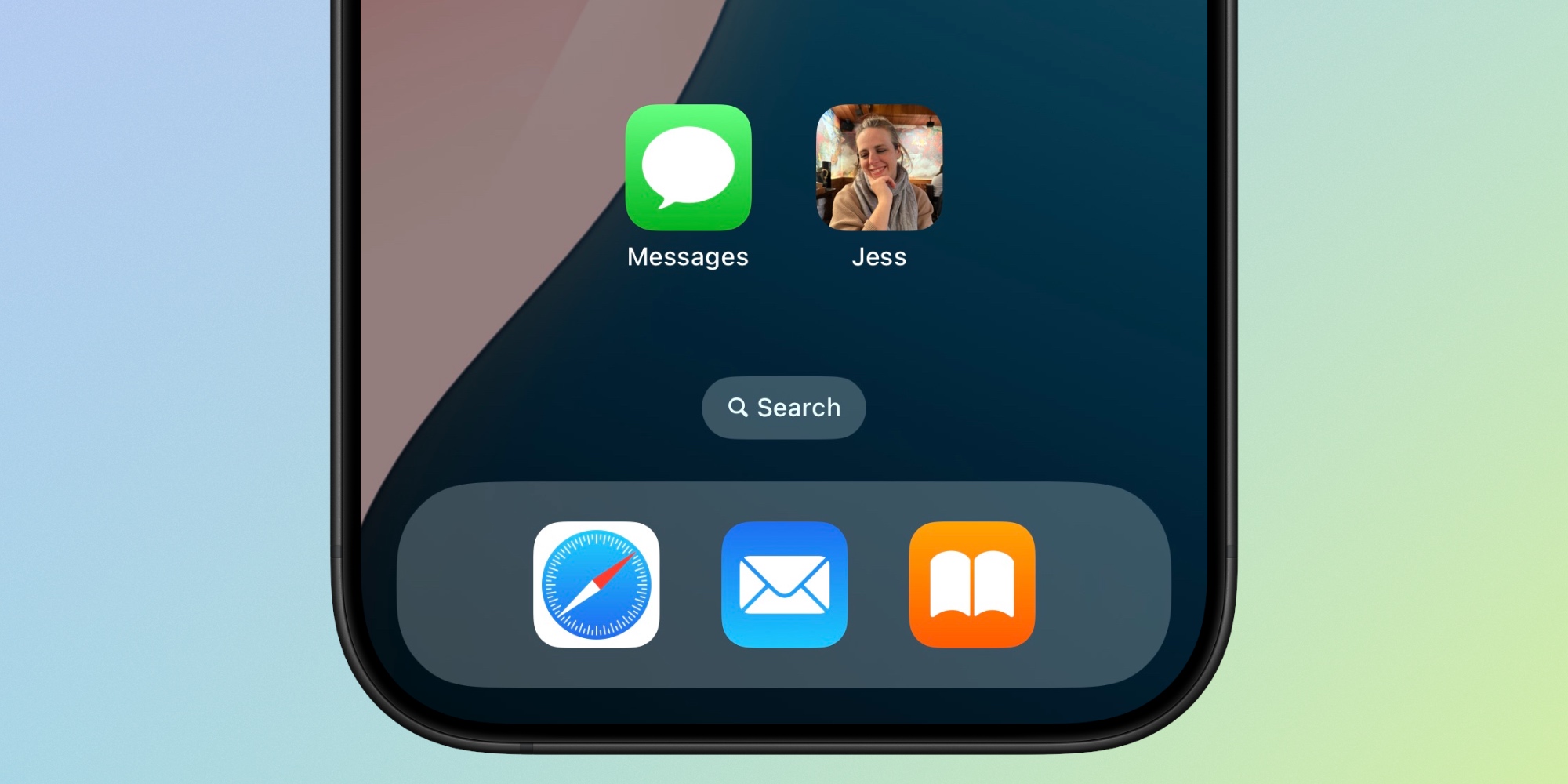
Messages Shortcuts iOS 18.4

Your shortcuts can be added to:

You can also, as seen above, turn each shortcut into a Home Screen app icon—perhaps customized with the conversation’s photo.

In other words, Apple provides a ton of flexibility in where your Messages shortcuts live. If you want quick access to your most important Messages chats, iOS 18.4 makes that possible in a variety of ways.

How do you plan to use Messages’ new shortcut feature in iOS 18.4? Let us know in the comments.

Best iPhone accessories

FTC: We use income earning auto affiliate links. More.

You Might Also Like

Anthropic CEO says AI could wipe out half of all entry-level white-collar jobs

iPhone 17 Pro might not feature this display upgrade after all

Meet the Immortal Jellyfish That Rewinds Its Life to Escape Death

Astronomers discover the explosive source of many of the universe’s heaviest elements

This prehistoric whale had razor teeth, bulging eyes and a face only evolution could love

Share This Article
Facebook X Copy Link Print
Share
Previous Article M4 iPad Pro, M4 MacBook Air, leather iPhone cases, more 9to5Mac M4 iPad Pro, M4 MacBook Air, leather iPhone cases, more 9to5Mac
Next Article Spotify invests over M to grow its catalog of non-English audiobooks Spotify invests over $1M to grow its catalog of non-English audiobooks

Latest News

PFL Brussels 2026: Why the Odds Are Stacked Against the Underdogs in a Night of Dominant Favorites
Sports May 23, 2026
Ja Morant Spotted at WNBA’s Dream vs. Wings: What His Presence Means for the NBA Star and Women’s Basketball
Sports May 23, 2026
WWE Clash in Italy: Rhea Ripley vs. Jade Cargill Rematch Confirmed—Why This Title Showdown Matters
Sports May 23, 2026
Gerrit Cole’s Triumphant Return: 6 Shutout Innings After 569-Day Absence, But Yankees Fall to Rays
Sports May 23, 2026
//
  • About Us
  • Contact US
  • Privacy Policy
onlyTrustedInfo.comonlyTrustedInfo.com
© 2026 OnlyTrustedInfo.com . All Rights Reserved.