Apple is currently beta testing macOS Sequoia 15.4, iOS 18.4, and more. But the public launches of these releases will be here soon. Here are four new features coming to your Mac in macOS 15.4.
#1: Apple Mail redesign and upgrades
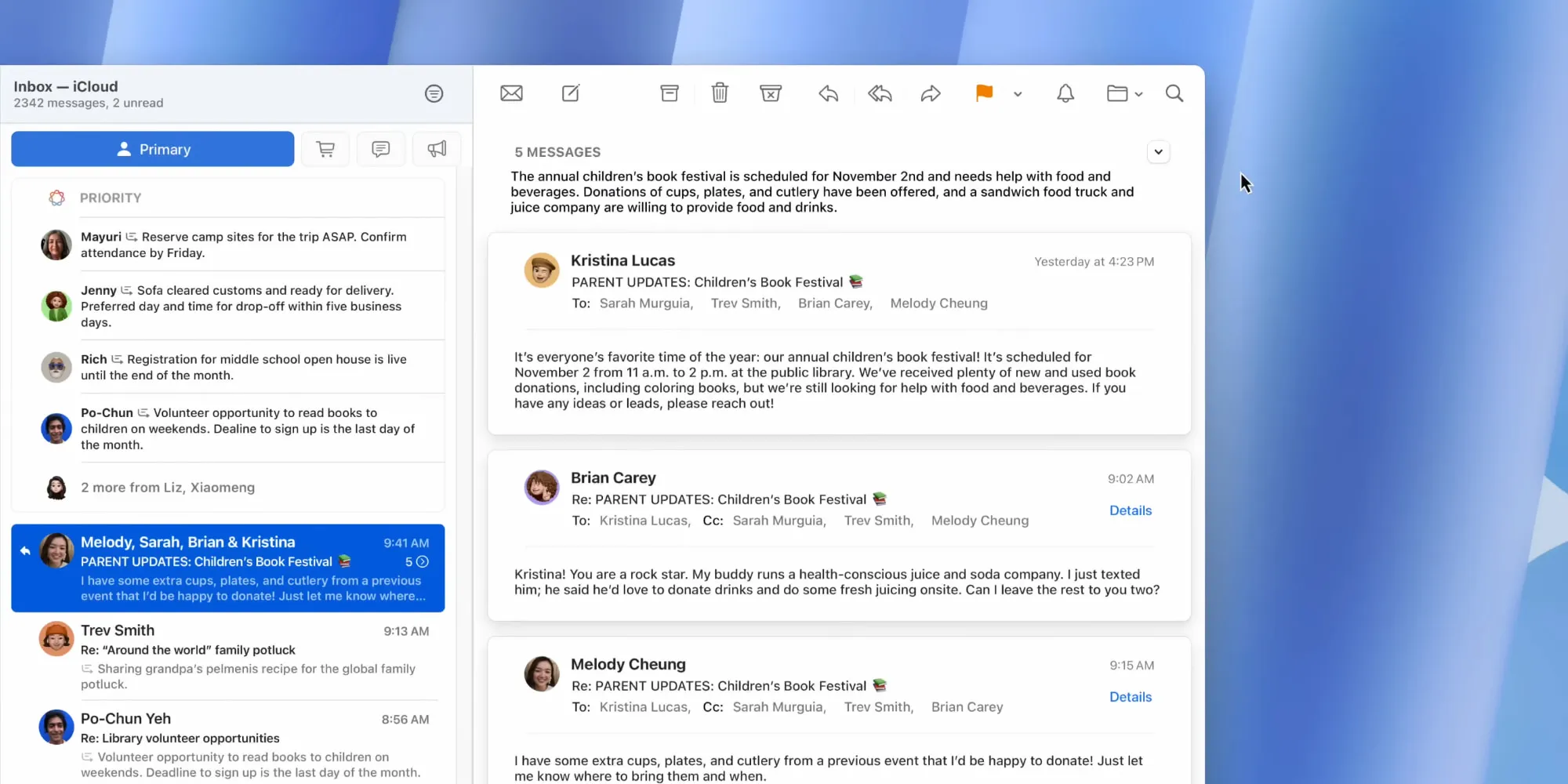
Perhaps the biggest addition in macOS 15.4 is the arrival of Apple Mail’s big redesign.
Back in December, Apple shipped its redesigned Mail app on the iPhone as part of iOS 18.2. But until now, it’s been absent from both the Mac and iPad.
macOS 15.4 and iPadOS 18.4 remedy that.
With the new Mail app your inbox will be sorted into categories like Primary, Transactions, Updates, and Promotions. You can also disable these or use the hidden All Mail view.
Emails from the same sender get grouped together in a new ‘Digest view’ to further streamline your inbox.
Threads now prominently display senders’ contact photos, which makes Mail feel a lot more like the Messages app.
#2: New verification code timer in Apple Passwords
One of my favorite features of Apple’s new Passwords app is its menu bar app on the Mac. It offers a convenient way to quickly grab a login or verification code.
In macOS 15.4, Passwords gets one nice change that extends to the menu bar app: there’s a new expiration timer for verification codes.
The visual timer shows a grey ring that slowly fills with green to represent the current code’s active period. It offers a subtle, but clear way to track how much time is left before a verification code expires and a new one is generated.
While I wish the timer actually populated the menu bar itself, for now at least you’ll see it inside Passwords’ menu bar app when viewing a login containing a verification code.
#3: Easy device setup with Quick Start
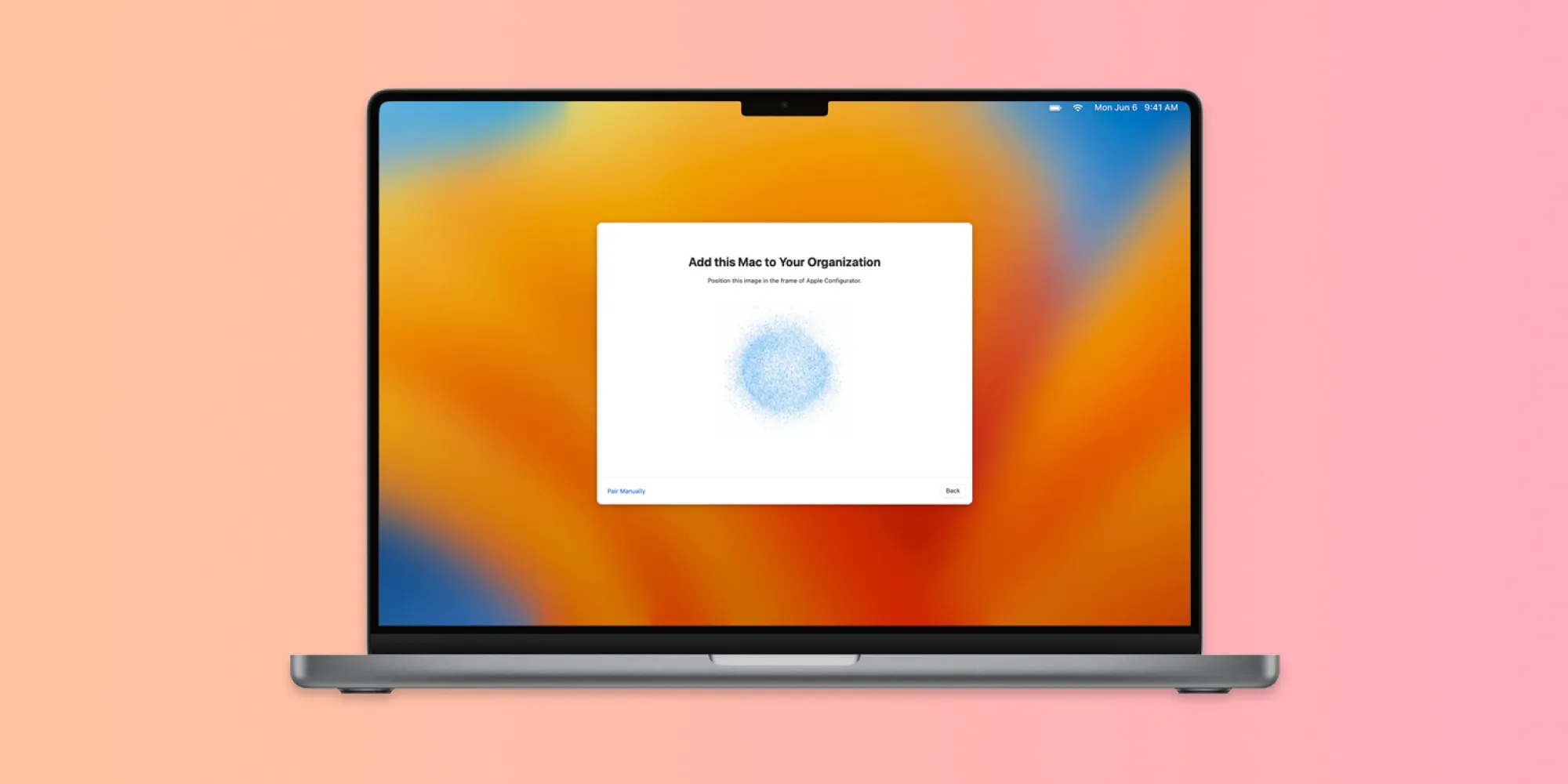
Quick Start will be very familiar to iPhone and iPad users, but its arrival on the Mac is welcome.
Whenever you’re setting up a new device, Apple has long let you scan an animation on an iPhone or iPad to automatically transfer several settings to the new device. This includes information like your Apple Account login, saving you some tedious setup steps.
Now in macOS 15.4, you’ll be able to use your Mac for Quick Start too. It will work just like your other devices, with an animation appearing on-screen for you to scan to transfer settings.
#4: New Apple Intelligence languages
iOS 18.4 brings Apple Intelligence to the EU for the first time, but on the Mac it’s been available there for a while. macOS 15.4, however, will make the AI experience better both in the EU and around the world thanks to the addition of new languages.
Apple Intelligence supports the following new languages in macOS 15.4:
- French
- German
- Italian
- Portuguese (Brazil)
- Spanish
- Japanese
- Korean
- Chinese (simplified)
You can also use AI with localized English in India and Singapore for the first time.
macOS 15.4 new features: wrap-up
Apple has a lot more changes in store for macOS 15.4’s companion updates, like iOS 18.4 and iPadOS 18.4. But this should nonetheless prove a solid point update for the Mac ahead of the much bigger macOS 16 being unveiled in June.
What have your favorite new features in macOS 15.4 been? Let us know in the comments.
Best Mac accessories
FTC: We use income earning auto affiliate links. More.